

Every few years over the past entire quarter damned century I find myself wrestling with how to monitor non-Windows devices. Every time I try using some form of SNMP-based system. Every time I end up with something either barely-workable or non-functional.
This go-around came about because after we left ConnectWise Automate for NinjaOne (née Ninja RMM) we lost the ability to monitor our clients’ NAS devices via SNMP. Let’s be clear: Automate’s implementation was solidly in the “barely-workable” category… but it did work. Just, barely.
Yes, we made the change-over last year. Yes, I’m just now getting to this. We’ve had a lot going on.
I went into this project with more than the usual amount of optimism. NinjaOne very specifically notes that they support QNAP and Synology devices in their NMS (network monitoring system), so how hard could this possibly be to get working?
So, spoilers: It doesn’t work.
Here’s what does work: If given an SNMP credential for an organization and an existing Windows agent to communicate with the device(s), NinjaOne will indeed pull down a lot of basics about a given NAS. From the Host-Resources MIB side it pulls in CPU and memory and (most importantly) disk usage data. From the native Synology MIBs we get… the system name and a few basic status indicators. And that’s it.
What’s more, none of this involves actual monitoring. Which is kind of the entire point of the exercise. So, it’s useless. Pretty, but useless.
In order to achieve more than “is the device down” levels of monitoring you need to find an SNMP OID and plug that into the policy along with a value threshold beyond which (or below which, depending) you want an alarm generated. Which means this is utterly useless for disk space monitoring because there is no such thing as a “how full is this volume” OID. There just isn’t. The core Host-Resources MIB doesn’t have it, and Synology supposedly has a “free space on volume” OID… which doesn’t work on the NAS device in our office (which is, yes, running the current DSM version).
It gets worse.
For Windows machines in NinjaOne you can set policy overrides, basically ways to customize the monitoring, etc, behavior of the RMM for specific edge cases without having to make an entire cloned-off policy about it. For the NMS, you cannot do that. If your NAS is A Bit Different From The Rest in some fashion you need a whole other policy built at the main system level. And that includes things like “this NAS has four drives instead of two”. Or “this NAS has two RAID volumes.” And so on. As soon as the rubber hits the road on monitoring these things, we’d end up with a list of individual per-device policies as long as our client roster.
So it’s a good thing I can’t make this work anyway. Because despite the NMS rig showing the disk usage for all volumes on a NAS device on the “device overview” page, it doesn’t turn that information into an actionable metric like, oh, a monitoring condition.
At this point if I want to monitor these devices through the remote management and monitoring solution we’re paying for, I’ll have to build a bunch of customized versions of scripts that trigger alerts based on script result text fields, and… no. Hell no. I’m not cluttering up our script library like that.
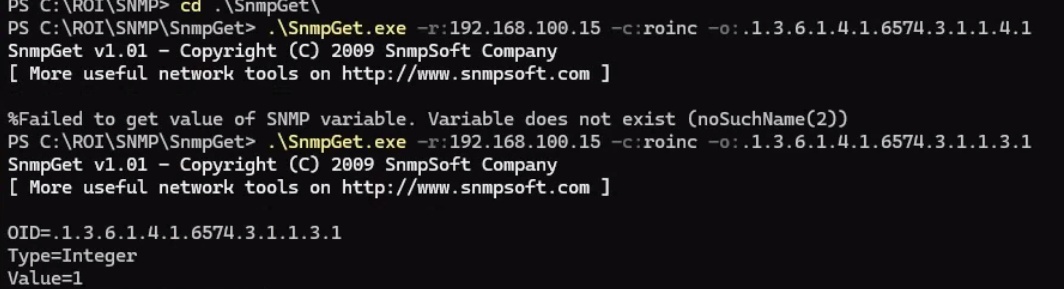
And it took me days to reach this conclusion because “Simple Network Management Protocol” adds up to a gigantic lie. It’s not simple. It’s not even remotely simple. You have to set up the device (if it even supports SNMP) to allow queries. You have to find out which long strings of numbers and periods contain the data you need. Usually this is with the aid of online resources which turn the numbers-and-periods into camelCaseStrings and whatnot, and probably also includes downloading/installing some sort of command-line tool to run “snmpwalk” and “snmpget” to make sure you’re getting the data you want from the parts of the OID structure you need.
Then you get to the end of this data gathering only to discover that what you need doesn’t exist, so you go back to using email-based alerting, another relic from a bygone age that is getting harder to justify using because a) authenticating to send email from a network device (instead of a computer with a user logged in) gets more complicated year by year, and b) good luck not getting flagged as spam.
Or you could use webhooks, provided that you’re not a Microsoft Teams shop where Microsoft changed the entire webhook structure out from underneath the NAS vendors so none of that works right now. Go on, ask me how I know.
I just want to be notified when a NAS device is likely to fall over due to failed physical disk drives or running out of capacity. Apparently I shall simply keep on wanting-but-not-getting. Because “simple network monitoring” is a lie. It does not exist.